
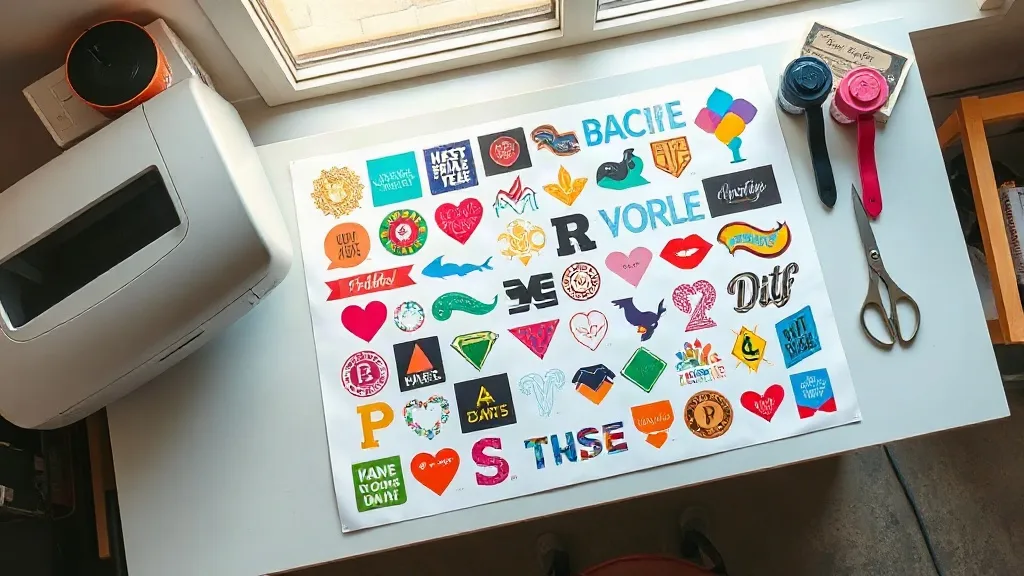
When you run a small apparel brand, every square inch of transfer film counts. You're not just printing designs; you're managing margins, production time, and the risk of a botched order that eats into your profit. That's where the DTF Gangsheet comes in. It's a simple concept: arrange multiple designs onto a single sheet of DTF film, print them all at once, and cut them apart later. But the impact on your workflow goes far beyond saving a few cents per print. A well-planned gangsheet can be the difference between a smooth production day and a pile of wasted film, missed deadlines, and frustrated customers.
This guide isn't about the basics of DTF printing. It's about the decisions you make before the printer even warms up. We'll look at how to plan a gangsheet that actually works for your business, from nesting designs to choosing the right film and managing color consistency. Whether you're printing ten shirts for a local team or a hundred for an online drop, the principles are the same.
Why a Gangsheet Is More Than a Cost-Saving Trick
Most conversations about gangsheets start and end with cost. Yes, you use less film and less powder, and you fill the printer's bed more efficiently. But the real value is in predictability. When you gang multiple designs, you're forced to think ahead: which sizes go together, how many of each, and how they'll be cut. That planning reduces the chance of a mid-run scramble.
Consider a small brand that sells three shirt designs in five sizes. Without a gangsheet, you might print each design-size combo separately, which means more setup time, more film changes, and more opportunities for error. With a gangsheet, you nest all fifteen variations onto one or two sheets, print them in one pass, and cut them apart. The result is a consistent look across the entire order, because every print went through the same printer, same ink, same powder, and same curing conditions.
That consistency matters more than you might think. Customers notice when the red logo on their medium shirt looks slightly different from the red on their friend's large. A gangsheet minimizes those variations by keeping everything in one batch.
Planning Your Layout: Nesting That Saves Film and Sanity
The art of gangsheet layout is called nesting, and it's where most of your savings (or waste) happens. The goal is to fit as many designs as possible onto the sheet without overlapping and while leaving enough room for cutting. But it's not just about cramming. You need to think about how the sheets will be cut, how the designs will be peeled, and how the film will behave during pressing.
Start with a Grid, Then Break It
A simple grid is the easiest way to begin. Measure your film width (commonly 13, 17, or 22 inches) and divide it into columns that fit your most common design widths. For example, if you print mostly 10-inch wide designs on a 22-inch film, you can fit two across with a small gap. Then stack rows down the length of the sheet. This grid approach works well for repeat orders and standard sizes.
But once you're comfortable, break the grid. Rotate designs to fill awkward gaps. Place small logos in the spaces between larger prints. A 3-inch logo can often fit in the leftover margin of a 12-inch design, turning dead space into profit. Just be careful not to place designs too close to the edge, where the film might curl or the powder might not adhere evenly.
Group by Color and Complexity
If you're printing designs with different color profiles, grouping them by color can help maintain consistency. For example, put all the designs that use a lot of white ink in one area, and those with mostly black in another. This isn't always possible, but when it is, it can reduce the risk of color shifting across the sheet.
Also consider the complexity of the design. Fine details and small text require more precise cutting, so give them a little extra space. Simpler, bold graphics can be nested tighter.
Choosing the Right Film and Powder for Your Gangsheet
Not all DTF film is created equal, and the film you choose affects how well your gangsheet performs. A thinner film might save money, but it can be more prone to curling or jamming in the printer. A thicker film holds its shape better during cutting and pressing, but it may require more powder and longer curing.
For gangsheets with many small pieces, a film with good dimensional stability is key. You don't want the film to stretch or warp as it moves through the printer, because that will throw off your layout and cause misaligned cuts. Test a few brands on small runs before committing to a full roll.
Powder choice matters too. A fine-grain powder gives a softer hand feel, which is great for retail-quality shirts. But it can be trickier to apply evenly across a large sheet. A coarser powder is more forgiving but may feel rougher. Find the balance that works for your products and your customers' expectations.
Common Gangsheet Mistakes and How to Avoid Them
Even experienced printers run into problems with gangsheets. Here are the ones I see most often, and how to sidestep them.
- Overcrowding: Trying to fit too many designs onto one sheet can lead to cutting errors and wasted film. Leave at least a quarter-inch between designs for clean cuts.
- Ignoring the grain: DTF film has a grain direction, and designs printed against the grain may crack or peel differently. Always orient your designs consistently.
- Inconsistent powder application: On a large sheet, it's easy to apply too much powder in one area and too little in another. Use a powder shaker with a fine mesh and apply in a steady, overlapping pattern.
- Skipping a test print: Before committing a full sheet, print a small test gangsheet with one of each design. Check for color accuracy, detail, and adhesion.
Another mistake is forgetting to account for the cut lines. If you're using a vinyl cutter or scissors, you need a clean edge. Leave enough space around each design so you can cut without nicking the artwork.
How Gangsheets Fit into a Print-on-Demand Workflow
Print-on-demand (POD) businesses live and die by turnaround time. A gangsheet can be a game-changer here, because it allows you to batch orders without holding inventory. Instead of printing one shirt at a time, you can collect orders for a day or two, gang them onto a sheet, and produce them in one go.
The key is to set a cut-off time. For example, all orders received by 2 p.m. go onto that evening's gangsheet. This gives you enough volume to fill a sheet efficiently while still offering fast shipping. You'll need to communicate these cut-off times clearly to your customers, but most will appreciate the faster overall processing.
Also, keep a library of your most popular designs pre-nested. If you know a particular logo sells consistently, have a template ready with that design repeated in various sizes. When an order comes in, you just add it to the template and print.
Pricing Your Prints: The Gangsheet Advantage
Pricing custom apparel is part art, part math. A gangsheet helps you lower your cost per print, which gives you more flexibility. You can either pass those savings to customers to stay competitive, or reinvest them in better blanks, faster shipping, or marketing.
To calculate your true cost per print, divide the total cost of the gangsheet (film, ink, powder, labor, printer time) by the number of designs on it. Then add your blank cost, packaging, and overhead. That gives you a baseline. From there, you can set a retail price that covers your time and profit margin.
Don't forget to factor in waste. Even with careful planning, you'll have some misprints or cutting errors. A good rule of thumb is to add 5-10% to your cost calculation to account for waste.
Frequently Asked Questions About DTF Gangsheets
How many designs can I fit on a DTF gangsheet?
It depends on the size of your designs and the width of your film. A 22-inch wide by 60-inch long sheet can hold dozens of small logos or several large back prints. The key is to nest efficiently and leave room for cutting.
Can I mix different fabric types on one gangsheet?
Yes, the gangsheet itself is just a transfer. You can press different designs onto different fabrics. However, you'll need to adjust your pressing settings (temperature, pressure, time) for each fabric type. Always test on a scrap first.
What's the best way to store a printed gangsheet?
Store it flat in a cool, dry place, away from direct sunlight. You can roll it loosely if space is tight, but avoid sharp creases. Use it within a few days for best results, as the powder can absorb moisture over time.
Do I need a special printer for gangsheets?
Any DTF printer can print a gangsheet as long as it supports the film width you're using. The key is to have a rip software that allows you to arrange multiple designs on one page.
How do I ensure consistent color across a large gangsheet?
Use the same ink set and printer settings for the entire sheet. Avoid mixing designs with vastly different color profiles if possible. And always print a small test strip to check color before committing the full sheet.
At the end of the day, a gangsheet is a tool. It won't fix a bad design or a poorly maintained printer, but it will make your good work more efficient, more consistent, and more profitable. Start with a simple layout, test your process, and refine as you go. Your future self (and your customers) will thank you.